Several machines I run in the Yacy project have been crashing in this past week. It appears that someone is flooding the network with repeated queries, which makes JAVA max out the CPU cycles, leading to overheating, and unresponsive servers.
I was able to stop the machines from crashing, if I blocked certain IP addresses from making connections… not with Yacy settings, but at the server level.
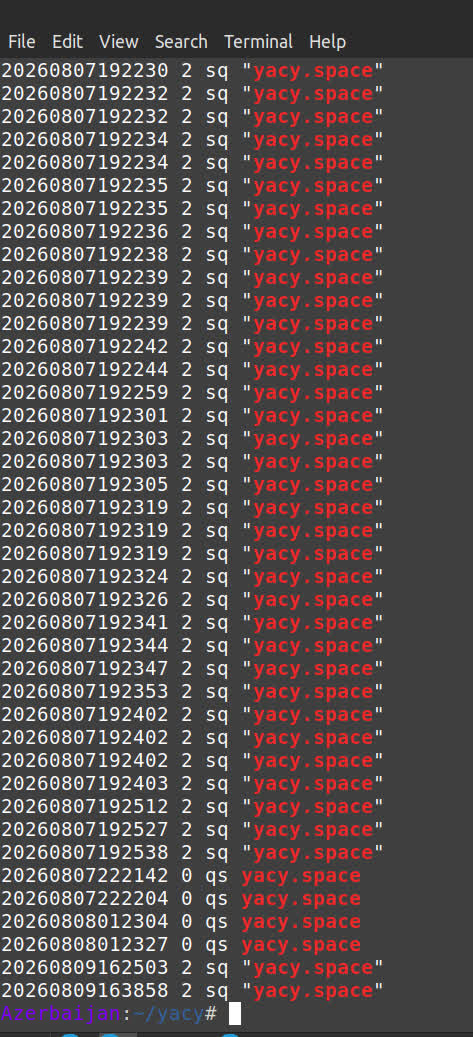
Surely, some of you have been seeing this also. What do you think? What is the source of the queries? I am not 100% sure, but here is what I noticed.
Command used to search the logs: grep --color=always -E 'yacy.space' ~/yacy/DATA/LOG/queries.log
What is this?
It looks like a useful tool, if it limits how many queries it sends to our network, to be reasonable, allowing machines to finish one query before starting another.
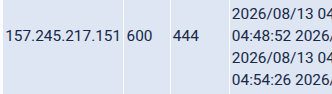
To see if it this is what is causing the crashes, I am temporarily blocking its IP address. It hides behind Cloudflare, making it difficult to find its direct IP address. But it is:
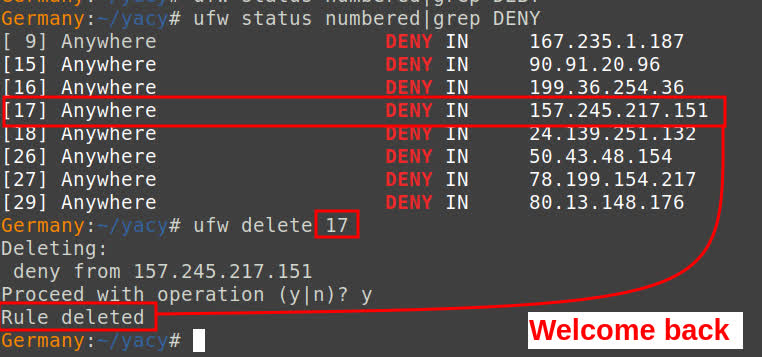
The command I am using to block it: ufw deny from 157.245.217.151
I hate to block anyone, but the repeated server crashes have caused me to investigate. There could be other machines that are responsible for the query floods. (It looked similar to a DDoS attack.) I will continue to monitor it and see if blocking this specific IP address helps the machines stay online and stop crashing.
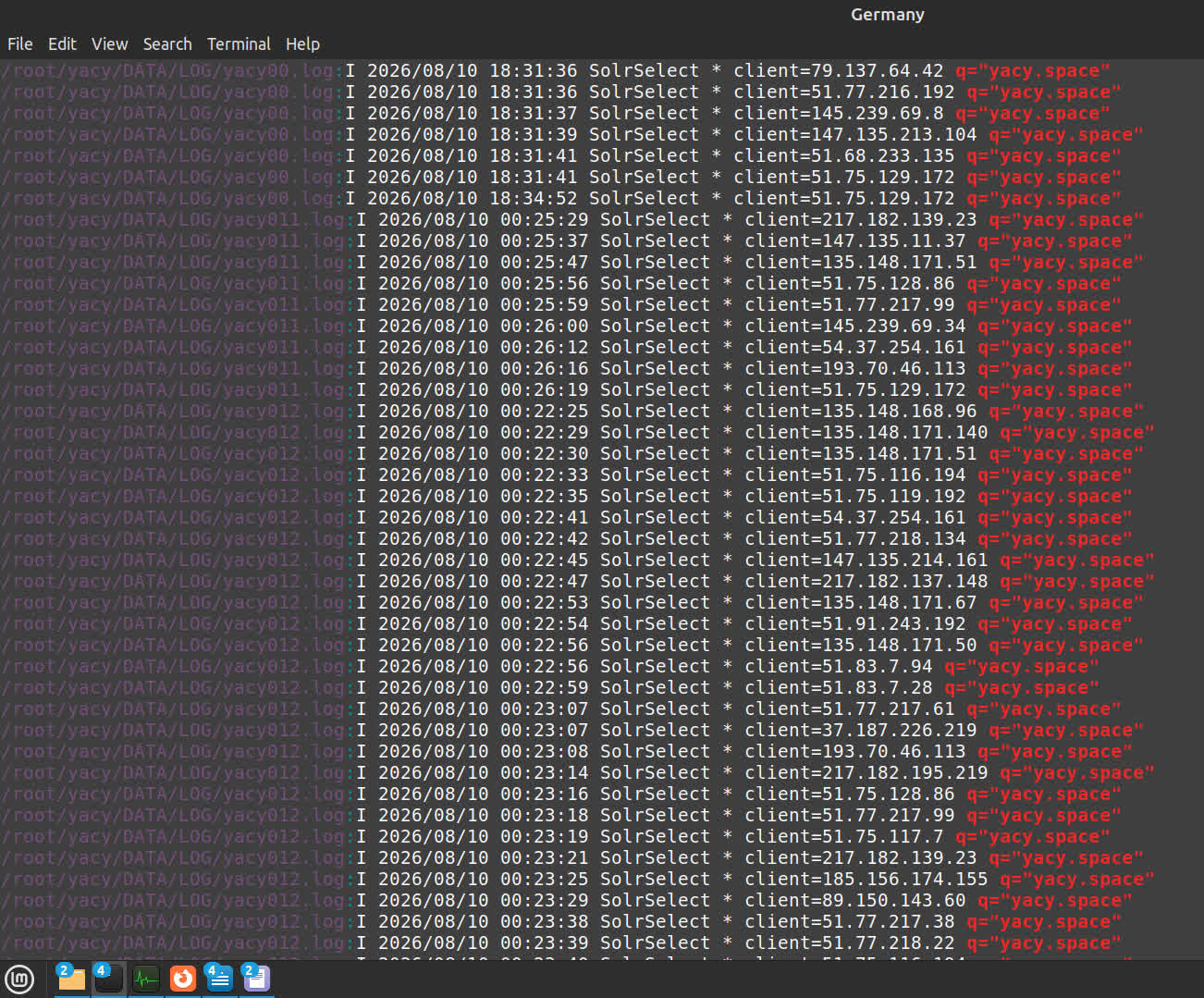
Command used to search the logs: grep -a --color=always -E 'q="yacy.space"' ~/yacy/DATA/LOG/yacy*.log
By sampling some of the IP addresses, the name ImpossibleSearch comes up repeatedly. I wonder if a cluster of peers send out the same query at the same time. I appreciate anyone adding peers, with good motives, to the network, but maybe these need to be configured so they do not flood the network with the same query. And why search for “yacy.space” anyway? What are they wanting to find?
I’ve no idea why someone searched for yacy.space, but the queries got requested from 157.245.217.151 as local search, which results in queries to other peers as remotesearch to extend the searchresult. That’s why you see the same query from other hosts.
I guess the operator of https//yacy.space already reacted on this post
I see the Flag ‘resource=local’ now.
Having such a public portal like htts://yacy.space was discussed in the past. If I’m not wrong Orbiter set up a peer and promoted it as a demonstrator.
This one is not a peer, but a Host distributing the query and merging the result from requested peers.
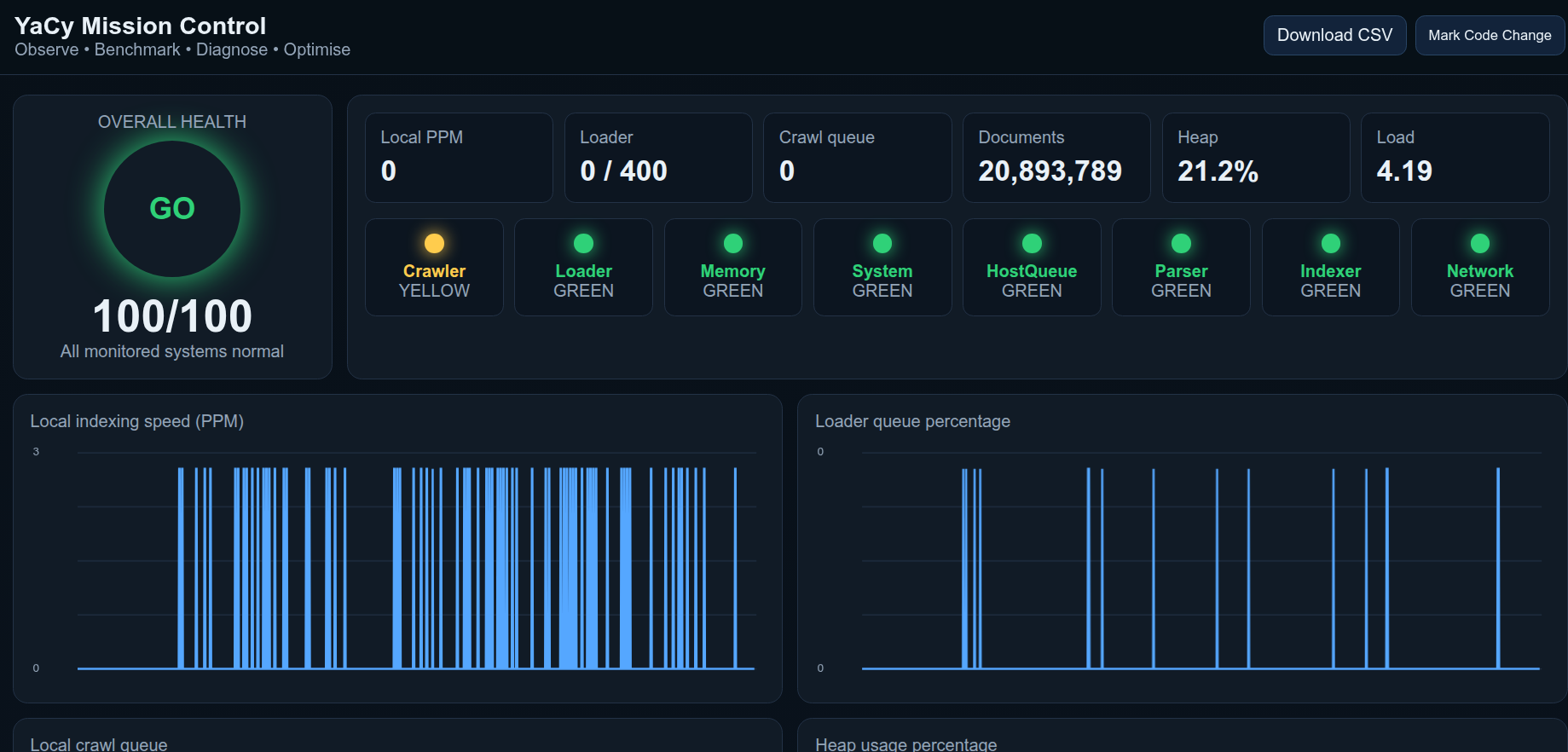
I have a monitor program on one of my peers.
I’m receiving local searches and remote searches at the same time in bursts. However I dont have the yacy.space problem yet.
I have all the protection settings disabled or set to very high for testing.
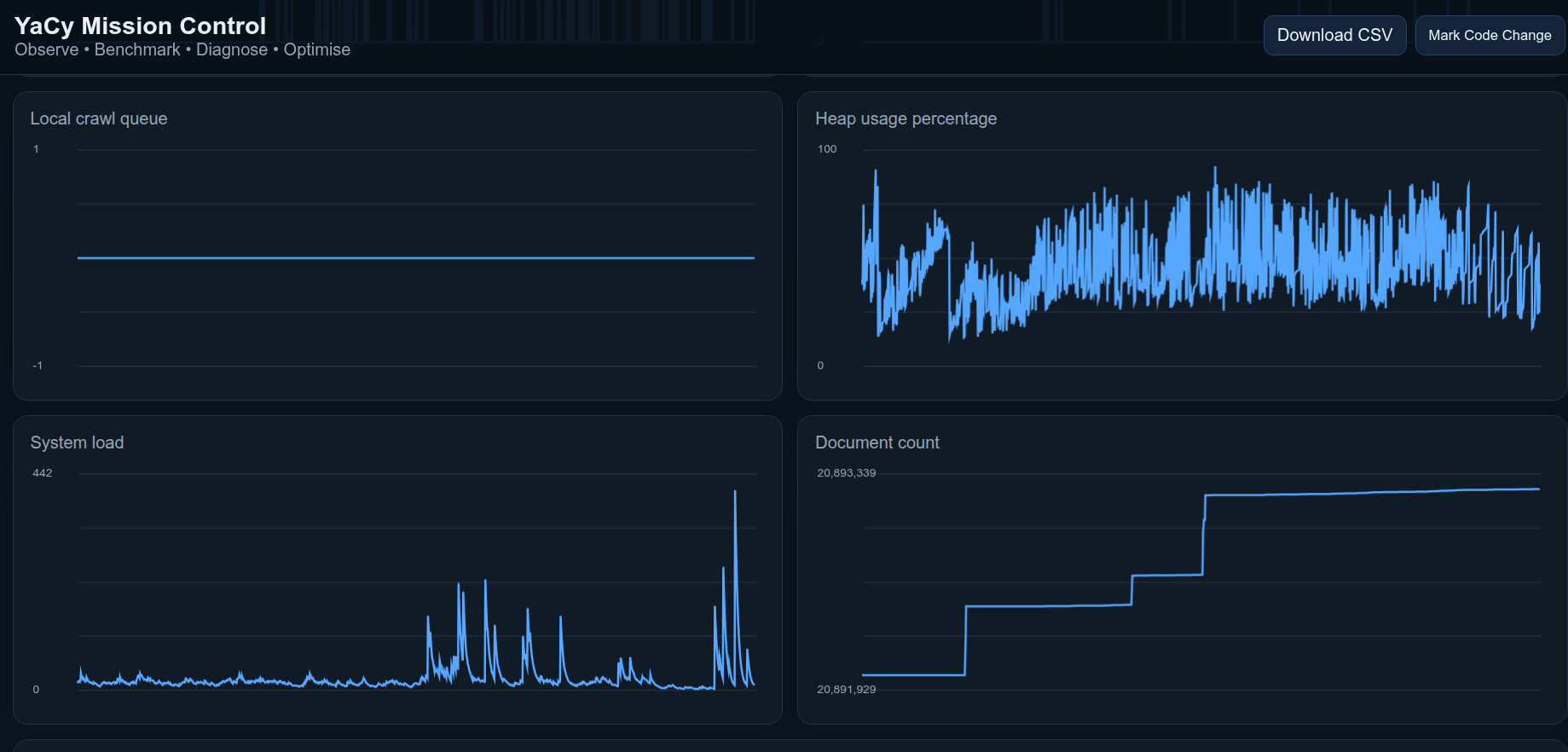
My normal system load 100% CPU is equal to 24 and the the graph is plotting over 400+ for short period. The page is updated every 10 seconds. Its only a spike or someone plotting the response time.
The Ram usage (heap) goes to 95% so its ok for the moment.
Are you still running with what you stated in a previous post: RAM: 384 GB ECC?
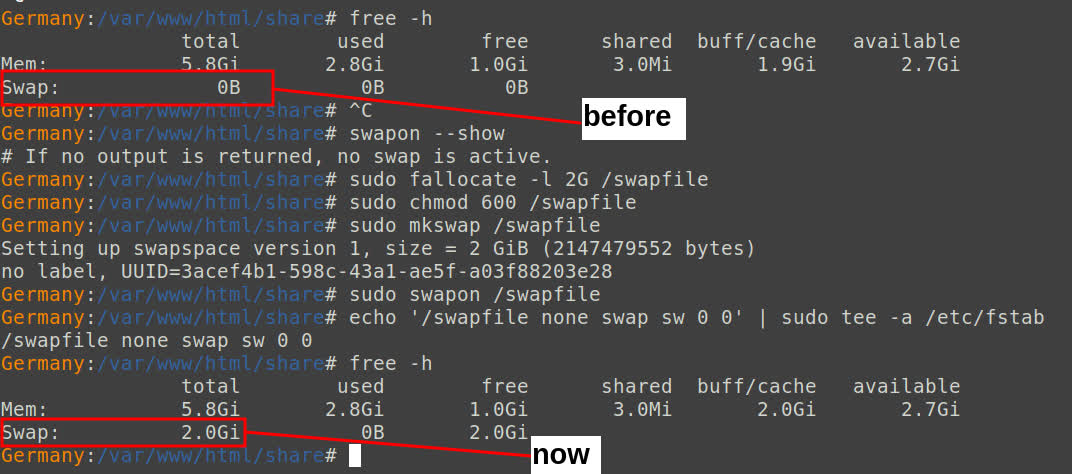
I have several machines, and the one that is crashing the most today has only RAM: 5.8 GiB.
I suppose the server needs more RAM as it accumulates more documents. Your set-up has 10 times more documents than the server I’m troubleshooting. I think it’s the bursts that is overwhelming the machines, causing OutOfMemory.
My other machines all had swap and are not crashing. But this machine, that had no swap, was crashing. Now that this server has swap, I will watch and see if the machine stops crashing.
…By sampling some of the IP addresses, the name ImpossibleSearch comes up repeatedly…
Hi there,
I can assure you, that none of the ImpossibleSearch nodes are affiliated in any way with ‘yacy.space’
I came here looking for some yacy-friendly way of defending my nodes against what appeared to be a denial of service attack. Random search queries, usually no query the same between two servers, all coming in at the same time. The pattern was very easy to see when viewed across 78 servers. I have been trying to join this forum for months, but it never has sent the confirmation e-mail. Today I finally gave in and tied my github account to it, just so I could clear my name here.
I have heuristics set to enqueue visible search results for crawling, so as to discover more and expand the index for the next user… but ‘yacy’.space’ hitting the nodes the way it did, enqueued hundreds of thousands of URLs in just a few hours while I was trying to figure out where all the traffic was coming from. When I found the user agent, went and looked, and behold… a clone of what I have been working on in secret for years. LOL. Small world.
It is ongoing, from what I see. It looks like an orchestrated attack on the Yacy network itself. I have never seen the network radiate so much green before.
And I appreciate you contributing so many peers. I wondered if you set up a stack of raspberry pi’s, or somethings similar.
Perhaps I should start a thread about the whole idea, but just for now, no raberry pi, just dedicated budget servers in datacenters. It is an experiment, and I don’t know how long I will be able to manage it, but we will see. As for this yacy.space situation. This one person was able to bring 78 dedicated servers with 500Mb connections each and 32GB of RAM, to their knees… in about 3 hours. If I have to, I will write a custom logger that records the date, the useragent/IP and the search term, collated by which server caught the query, compile it all together showing the harm to the network, and then send it to digital ocean in an abuse report. I looked, but couldn’t find any way to reach the creator of that site, so I don’t know what else to do.
I know I can just block the IP(s) but if you look at the network, it seems a lot of ram/cpu-limited peers are just… gone. Hopefully they come back, but why should they if this one person is setting their machines on fire? So, my thought was maybe if I let them hammer my servers for another day, I will have enough logged to make a convincing case about the abuse.
Of course I hold out hope that this is all an accident by someone who means well, so I hope they realize what they have done… and stop.
Either way, in 24 hours I guess I’ll start fighting back if they haven’t made themselves known.
Do you have any thoughts on the matter? If so, I would love to hear them.
Agreed, and since I am a praying man, I ask the Lord to help. I would not bother with filing a complaint with a company.
Years ago, when a website I ran was a target, I filed a complaint with the FBI, because the personal attacks began to escalate, but that did no good at all. I will never again put my trust in a government agency or corporation, but only in God for now on, and he does not disappoint those who trust in him.
I think we are mostly volunteers, donating our effort for the common good, so we should have friends in high places.
Amen brother, Jesus Christ is my Lord and Saviour.
As for following up with the hosting company, I hope it doesn’t come to that, but this nonsense:
“mail136-30.atl41.mandrillapp.com”
what causes dishwasher to overflow into sink
“mail180-204.suw31.mandrillapp.com”
mexican tile mirrors
mexican tile mirrors
why does my dog dog in the backyard
shaving trimmer
why does my dog dog in the backyard
northwestern law application status
mexican tile mirrors
mexican tile mirrors
… is coming in at the rate of as many as three per second. Tons of repeats, no end in sight.
On the high side of things, it forced me to look into an intermittant situation that has been ongoing for a long time, where after your node has been searched a lot and crawled a bunch, it will start throwing Ops errors on certain pages. Well, I found that there were 38,393 unclosed java threads that weren’t handled before the thread max count was reached. I think I have a fix for it, testing now, and would likely never have found it without this person beating my servers to death. It would only happen about once every couple of weeks, maybe a month… Now half the servers are down at the same time because of this person. If the fix I’m testing works, I’ll push it up for the boss man to implement if he likes it.
I read your other thread, and I appreciate your efforts.
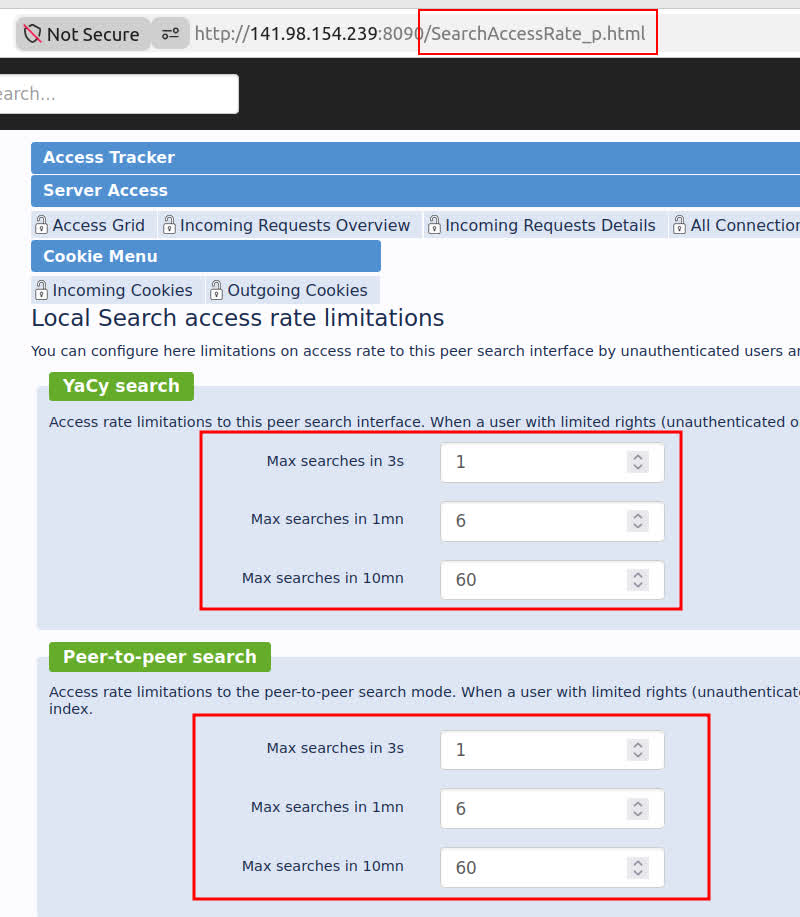
It’s an interesting view, but that only shows activity that uses the “search interface”, while most of the requests coming into my machines are performed through a solr query, which can be done in terminal, totally bypassing the search interface. Solr queries do not need to go through yacysearch.html.
This appears to be a weakness in Yacy, where the admin has no setting to stop or slow down solr queries.