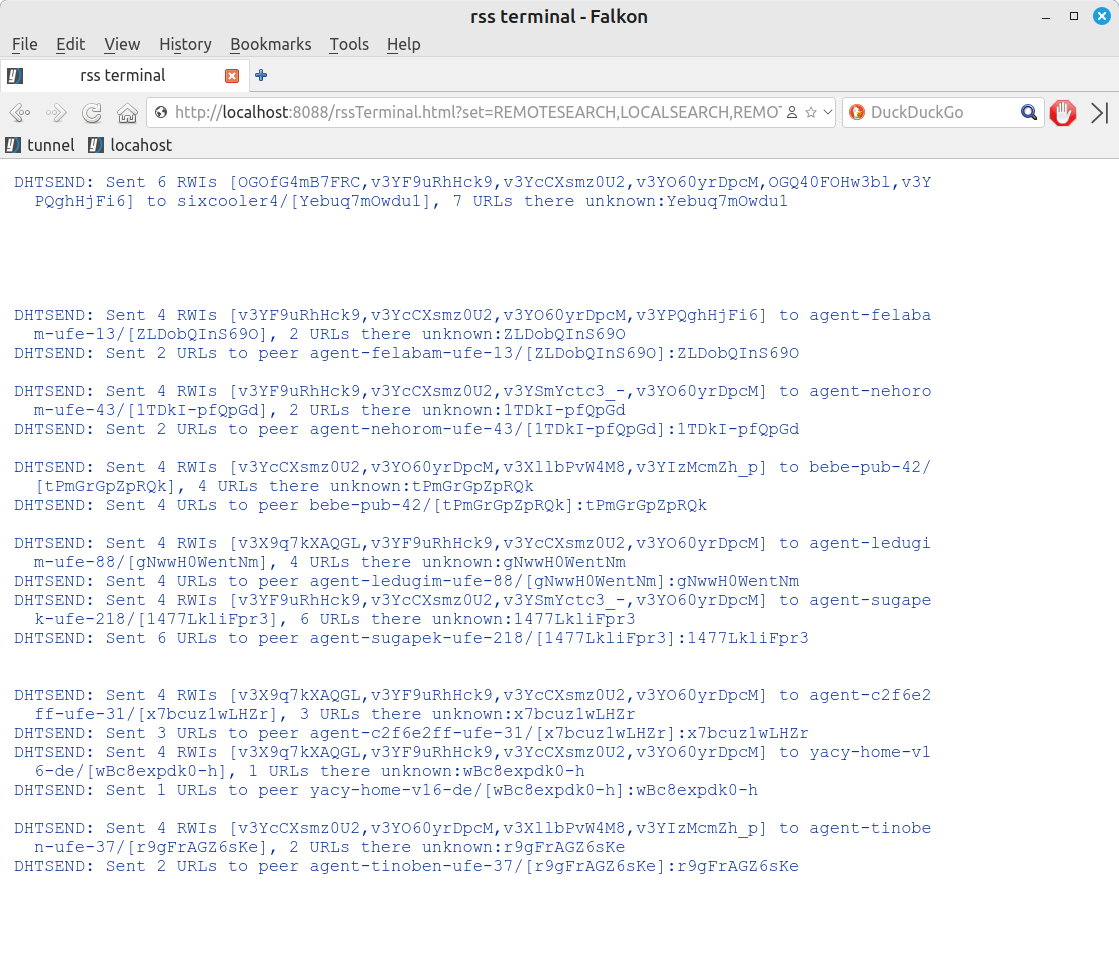
Is it possible to change terminal's fonr colors?

Hi! :grinning_face:

Is it possible changing the terminal’s (where there’s the rolling text) font colors?

The black, blue and red letters are OK for me, but especially the yellow letters, are really hard to see, at the white background?

Is it possible to change the yellow color, to something else (brown, bold black or something contrasting with white).

TIA!!! :nerd_face:

Hi, Thalassius, and welcome to the forum!

if you mean in YaCy web interface, then yes, for sure.

there are skins in “Portal Design” to select. you can choose the one, which fits you most, or adapt one for yourself, changing it’s CSS file. see old wiki.

(while changing the css, it seemed to me that the new one was working only after the restart, as far as i remember)

Here is another view of the terminal….

You might see it at:

[http://localhost:8090/rssTerminal.html?set=REMOTESEARCH,LOCALSEARCH,REMOTEINDEXING,LOCALINDEXING,DHTRECEIVE,DHTSEND&width=860px&height=400px&maxlines=44\\]

(Just use the correct port for your setup.)

It can be a little slow to populate, but if you are patient, and your peer is active, you could see activity.

You could also customize it with basic HTML and CSS.

THANKS guys for your help**!!!**

@okybaca:

I have the “dark” theme in use and I can see the /skins/dark.css file, but its contents aren’t obvious for me and I can’t see any details at the documentation, wiki etc.

@ExploreTruth:

Other links (like the http://localhost:8090/Status.html? one) working here, but this particular one (http://localhost:8090/rssTerminal.html?), presents me, only a blank page.

Best Wishes for a Happy New Year!!!

1 Like

Yes, that is what I also see if my peer is inactive.

Another view of your peer’s actions can be seen without colored fonts and backgrounds which could make the text less visible:

/ViewLog_p.html

What needs to be done, in order to be active??? :face_with_spiral_eyes:

I’m already in senior mode.